Built for support teams running 24/7 coverage across multiple timezones and countries. Country-specific holidays, cross-timezone scheduling, and full coverage visibility — all in one place. No more spreadsheets. No more group chat chaos.
Free during beta · No credit card · Enter code BETA2026 at signup
See it in action
Day view, weekly view, calendar, OT assignment, AI assistant — the full tour.
Feature Tour
Six areas of Manage Roster — all built for teams that run around the clock.
Dashboard
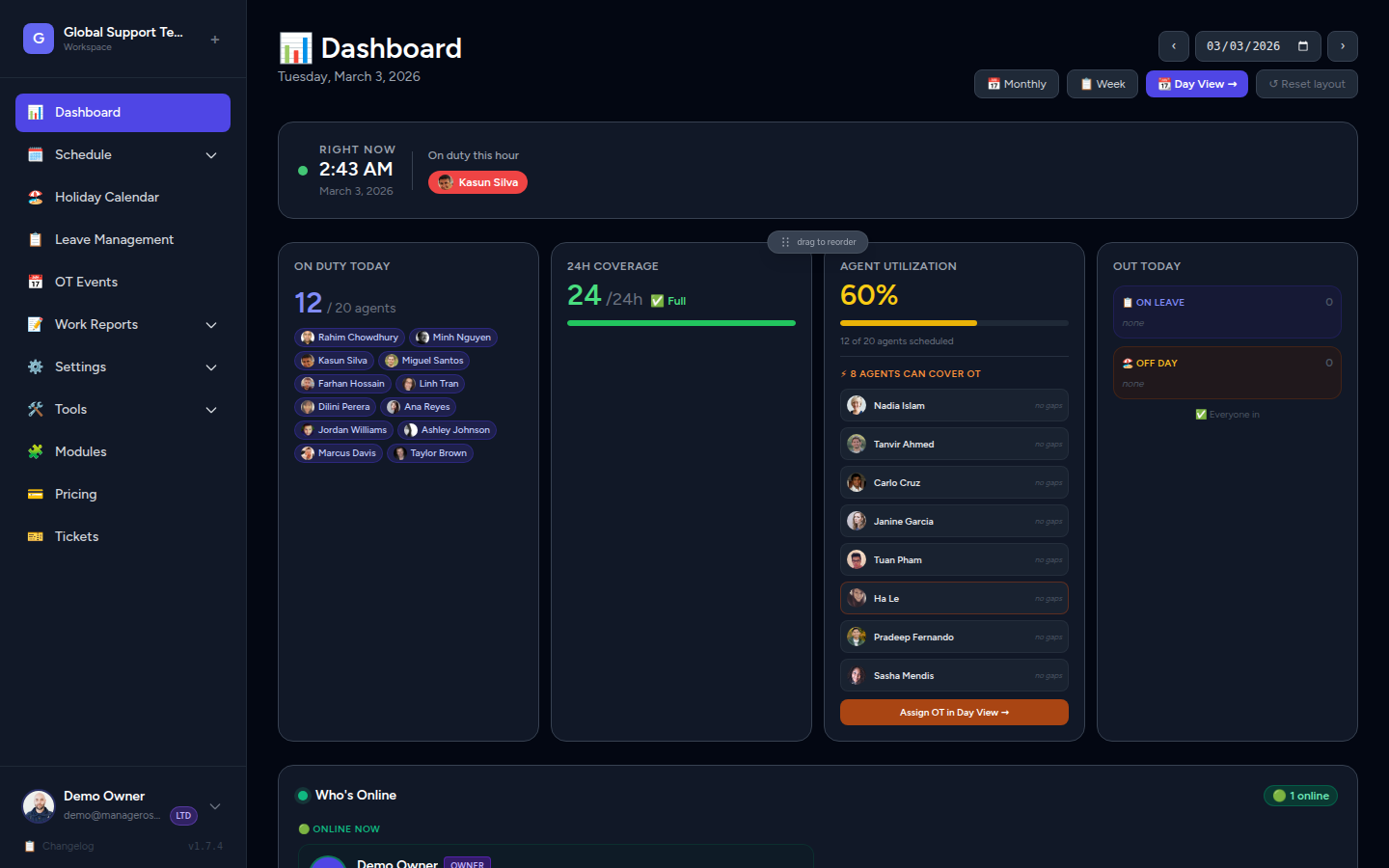
The manager dashboard shows active agents, current week coverage, upcoming holidays, and who's on leave — the moment you log in. No setup needed.
Work Reports
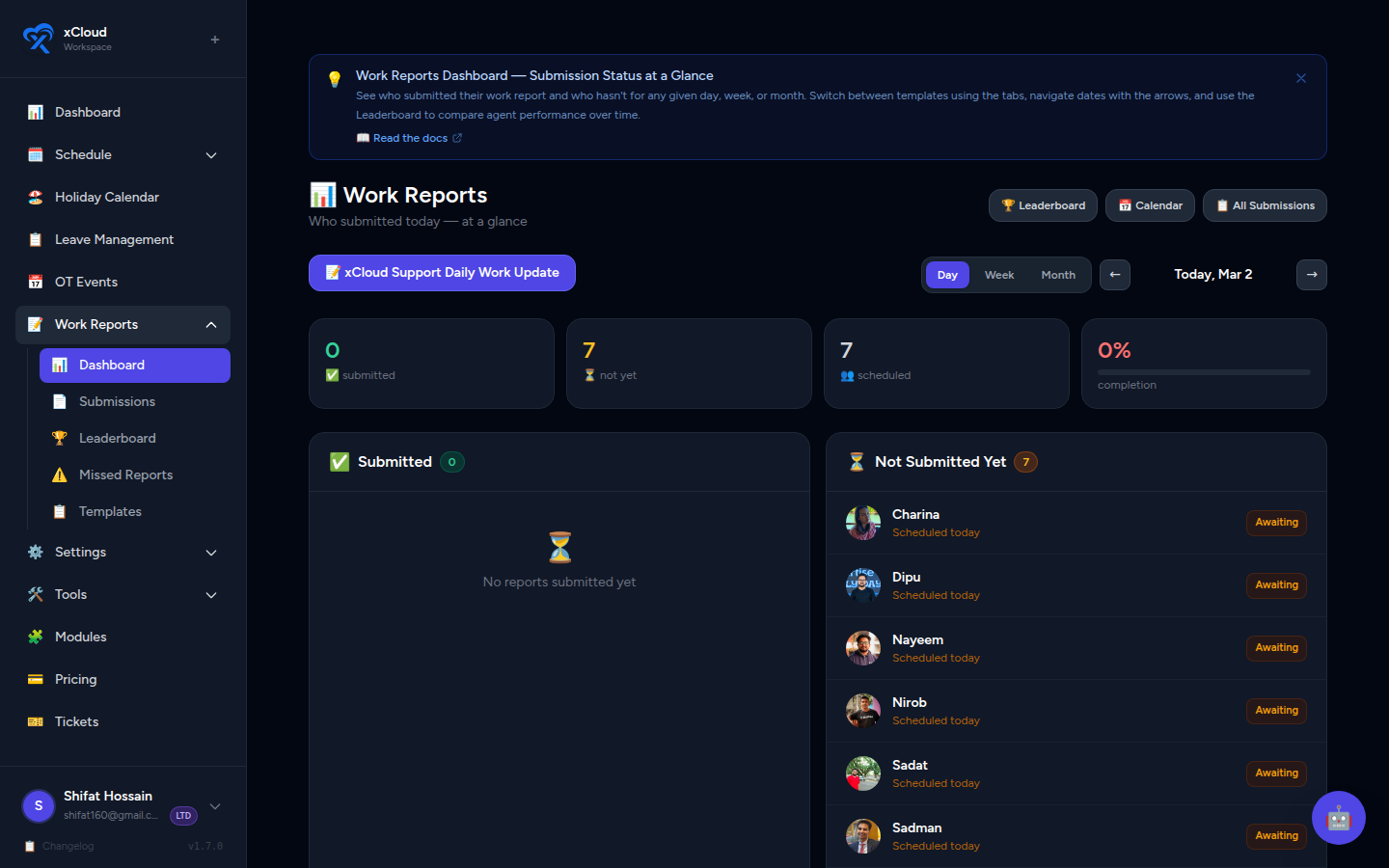
Agents submit daily shift reports from their dashboard. Managers see everything on a filterable analytics view — by date, agent, or template. No more chasing updates in Slack.
Leaves & Holidays
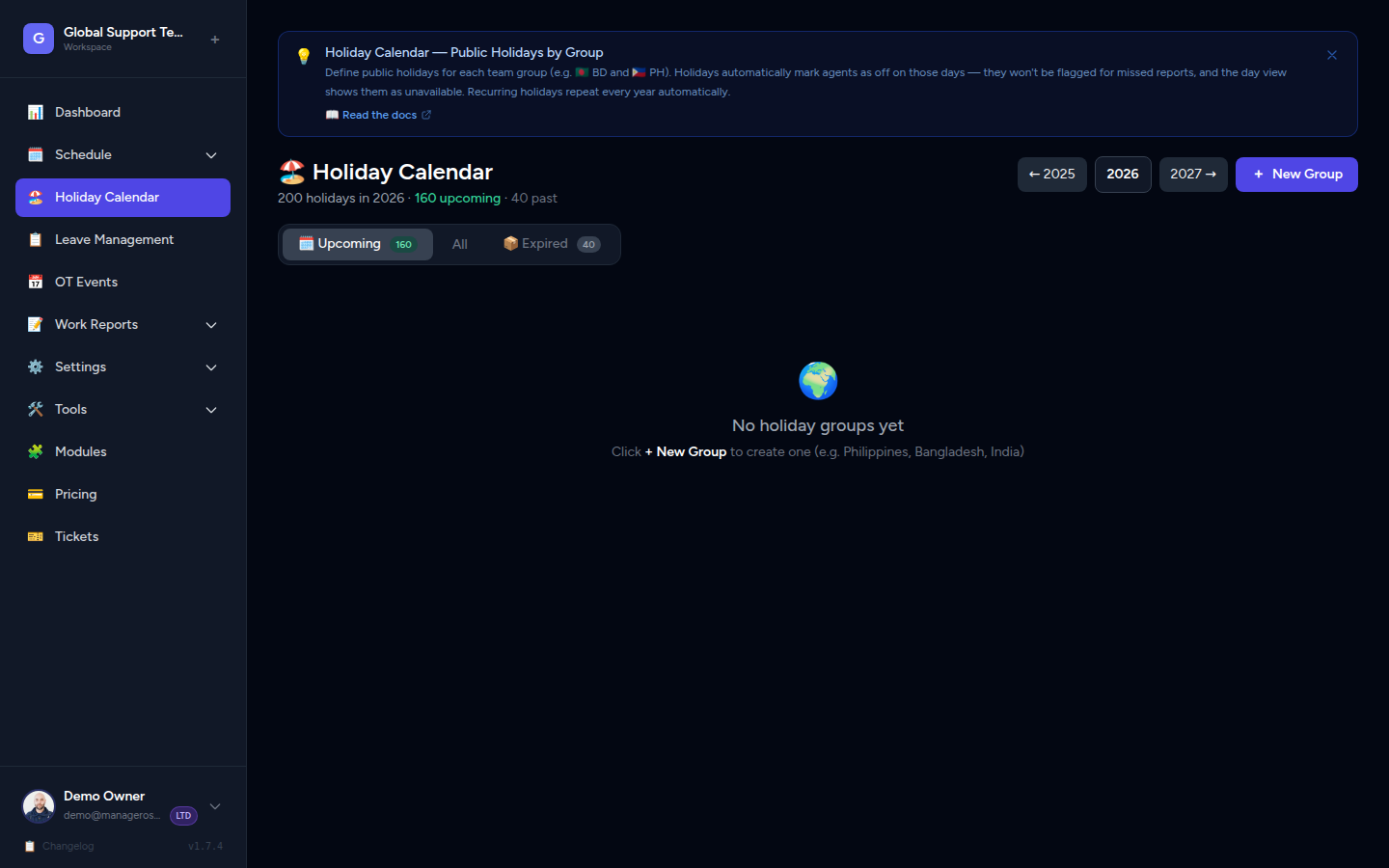
Agents request leave, managers approve or reject with one click, and the schedule updates automatically. Holidays are grouped by country — BD, PH, US, or any region.
Leaderboard
The leaderboard scores agents across tickets, reviews, Crisp ratings, and more. It makes performance visible without micromanaging — and gives your top agents the recognition they deserve.
Real-Time Presence
The Who's Online panel shows which agents are active in the platform, when they were last seen, and their current status. Built for shift handovers, coverage checks, and peace of mind.
Monthly Schedule
The monthly calendar gives you a bird's-eye view of your entire team's schedule — who's working, who's off, holidays, and overtime, all in one grid. Click any day for full shift detail.
The problem
Managing a round-the-clock support team spread across timezones and countries is hard. Most teams are still doing it the hard way.
You update it Friday. Someone edits it Saturday. By Monday morning it's a mess and nobody knows who's covering the overnight shift.
📊A customer waited two hours with no response. You check the schedule. There was nobody assigned to that slot. Again.
⚠️"Can anyone cover 2 AM to 4 AM?" Scrolling through 200 group chat messages to find who said yes is not a workflow.
💬Features
No bloat. No features built for restaurant chains or retail stores. Just what a globally distributed 24/7 support team actually needs.
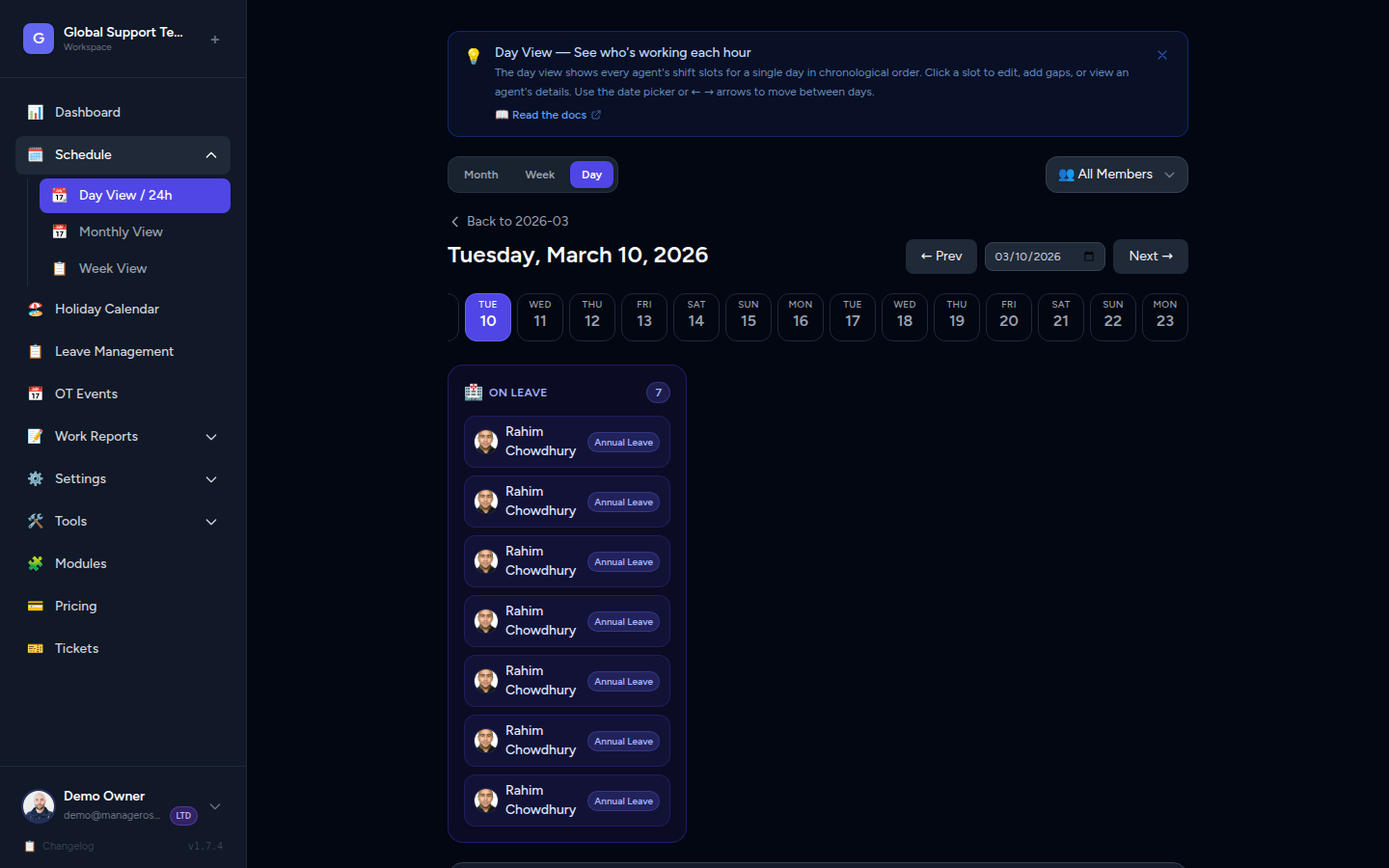
A live timeline shows every agent's shift for the full day. The current hour is highlighted, past slots dim automatically, and uncovered hours turn red.
Color-coded coverage dots for every day of the month. Spot undercovered dates at a glance — and click any day to jump straight to its day view.
One screen shows today's coverage, this week's schedule, upcoming holidays, and who's on leave. No digging through menus.
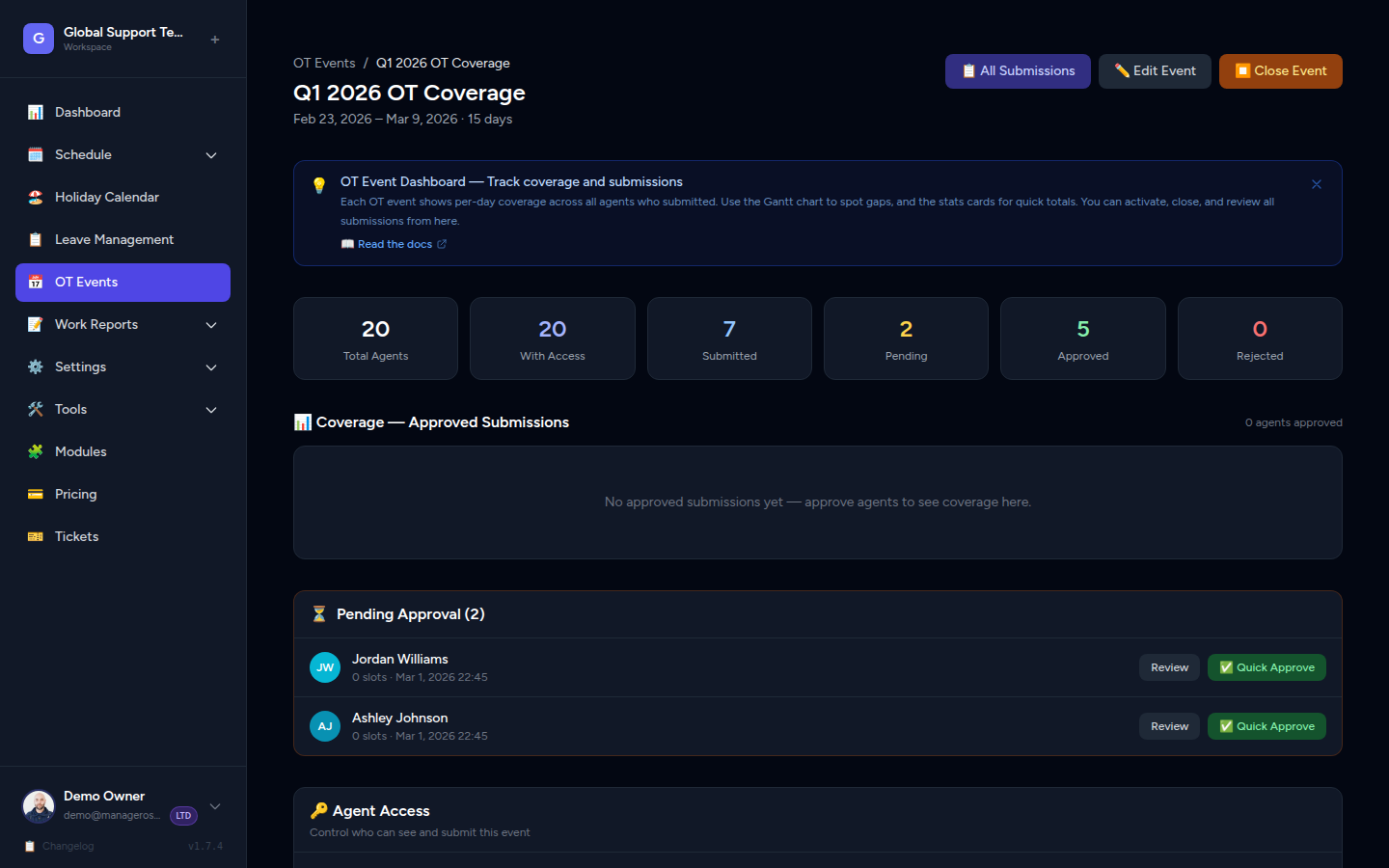
Agents request overtime slots, managers approve or reject with one click, and the schedule updates instantly. No chasing anyone in chat.
Create holiday groups for any country — US, UK, UAE, Philippines, Bangladesh, and more. Each agent follows their own national calendar automatically.
Agents request leave, you approve or reject it, and it instantly appears as a gap on the schedule. Casual, annual, and sick leave tracked separately.
Agents submit end-of-shift reports. Managers see every submission on a filterable analytics dashboard. No more chasing updates over chat.
Composite scores across tickets, reviews, ratings, and report consistency. Makes performance visible — without micromanaging anyone.
See which agents are active in the platform, when they were last seen, and their current status. Built for shift handovers and coverage checks.
Run teams across regions under one login. Each workspace has its own schedule, agents, holidays, and settings — completely isolated.
Owner, Manager, Lead, and Agent — four roles, each with the right level of access. Managers manage, agents see only what they need.
Ask your roster anything in plain English — who's free, where the gaps are, how much OT each agent logged. Real answers in seconds.
Day View
The 24-hour day view shows exactly who's covering each slot right now. The live clock highlights the current hour, dims completed shifts, and flags any uncovered slots in red — instantly.
OT Assignment
Spot a coverage gap, click the slot, pick a free agent. Holiday agents appear too — marked amber so you know the context before you assign. Confirmation syncs instantly to the schedule.
Calendar View
The monthly calendar shows every agent's coverage across the full month. Color-coded dots per day, gap warnings for uncovered dates, and today highlighted so you always know where you stand.
AI Assistant
The built-in AI assistant knows your entire schedule. Ask it in plain English — who's free, where the gaps are, how much OT each agent has logged — and get a real answer in seconds.
No dashboards to dig through. No exports. Just ask.
From the team
"We used to coordinate shifts on WhatsApp. Someone always missed the message, someone always got the hours wrong. Now the whole team knows exactly what's happening and we catch gaps before they become complaints."
Pricing
Only 50 early-access spots. No per-seat fees. No credit card required.
No credit card · Access valid 1 year · Help shape the product
Paid plans — coming soon
Forever free tier
Unlimited agents · 5 workspaces
All features, forever
Get beta access free for 1 year. No credit card, no sales calls, no setup fee.
✓ Free for 1 year · ✓ 2-minute setup · ✓ 46 spots remaining