Appearance
Subscription Plans & Pricing
Manage Roster offers flexible plans for teams of every size — from a single workspace you're just getting started with, to an enterprise setup with multiple teams running around the clock.
Who can do this?
Only the workspace Owner can view or change the subscription plan for that workspace.
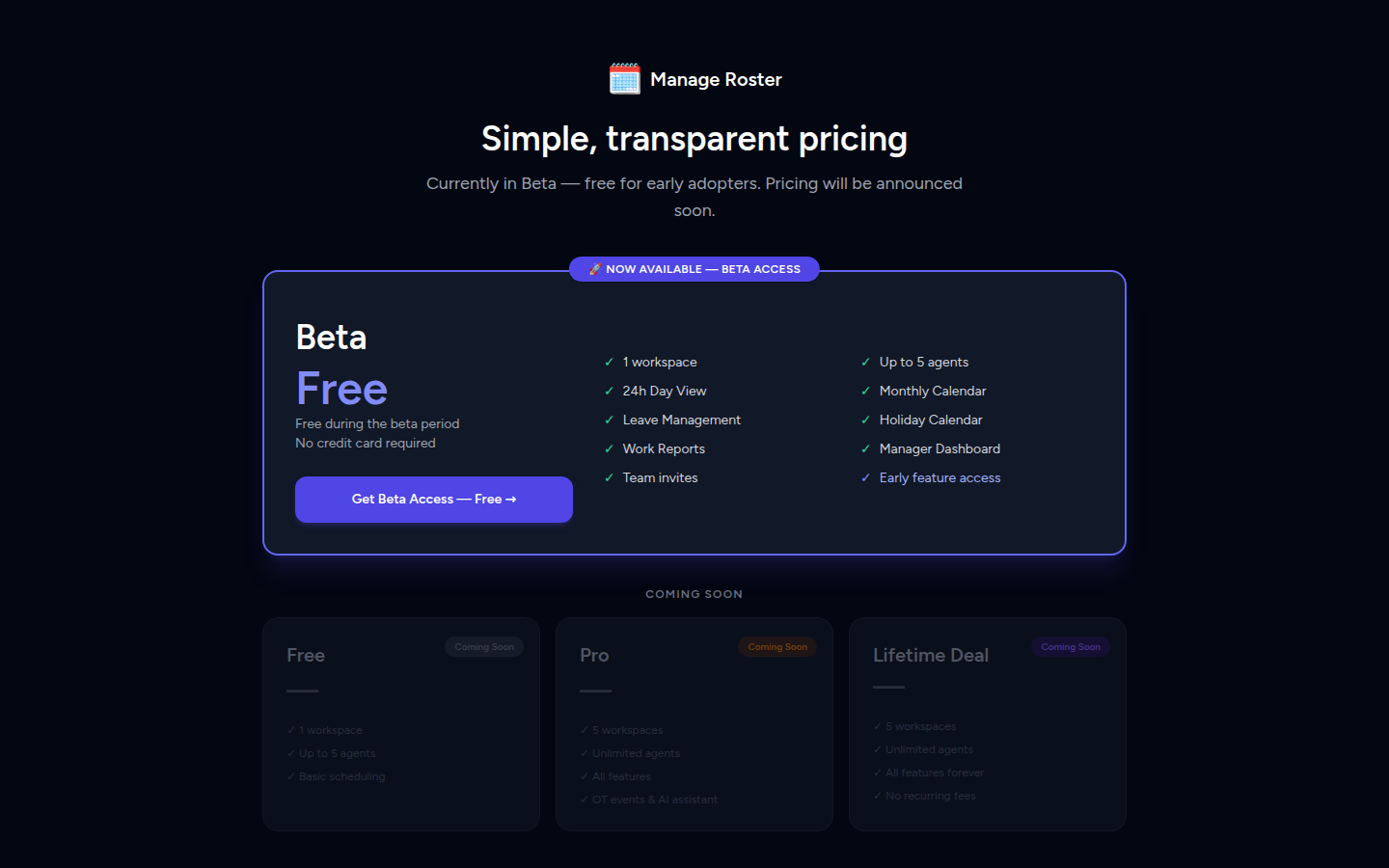
Plan Overview
| Feature | Free | Pro | LTD |
|---|---|---|---|
| Workspaces | 1 | 5 | Unlimited |
| Agents per workspace | Up to 10 | Unlimited | Unlimited |
| Work Reports | ✅ | ✅ | ✅ |
| Scheduling (Day/Week/Monthly) | ❌ | ✅ | ✅ |
| Leave & Holiday Management | ❌ | ✅ | ✅ |
| Overtime (OT) Events | ❌ | ✅ | ✅ |
| AI Assistant | ❌ | ✅ | ✅ |
| Dashboard & Analytics | ❌ | ✅ | ✅ |
| CSV Import | ❌ | ✅ | ✅ |
| Integrations | ❌ | ✅ | ✅ |
| Priority Support | ❌ | ✅ | ✅ |
| Payment | Free forever | Monthly/Annual | One-time lifetime deal |
Plan Details
🆓 Free Plan
The Free plan is great for small teams who primarily need work report submissions without the full scheduling suite.
- 1 workspace included
- Up to 10 agents in that workspace
- Access to Work Reports only — create templates and collect submissions
- All other features (scheduling, leaves, OT, AI, dashboard) are locked
Perfect for getting started
The Free plan lets you try Manage Roster with no commitment. When your team needs full scheduling capabilities, upgrading takes less than a minute.
⭐ Pro Plan
The Pro plan unlocks the full Manage Roster feature set for growing teams.
- Up to 5 workspaces
- Unlimited agents per workspace
- All features unlocked: scheduling, leaves, holidays, OT, AI assistant, dashboard analytics, CSV import, and integrations
- Priority customer support
- Billed monthly or annually (annual billing gives the best value)
📸 Screenshot: Pricing page showing Free vs Pro comparison
🏷️ LTD (Lifetime Deal)
The LTD plan is a one-time purchase that gives you lifetime access to all Pro features — no recurring charges, ever.
- Identical features to Pro
- Unlimited workspaces (no 5-workspace cap)
- Pay once, use forever
- Available exclusively via coupon code (see Redeeming an LTD Coupon below)
How to get an LTD coupon
LTD coupons are distributed through special promotions, partner deals, and platforms like AppSumo. If you have a coupon code, you can apply it during the onboarding plan step or from the Billing page.
How to Upgrade to Pro
- Log in to Manage Roster and open the workspace you want to upgrade.
- In the left sidebar, click Pricing (or navigate to Settings → Billing).
- On the Pricing page, review the plan options.
- Click Upgrade on the Pro plan.
- Complete the payment flow.
Your workspace will be upgraded instantly once the payment is confirmed.
📸 Screenshot: Pricing page with the "Upgrade" button highlighted on the Pro plan
Annual billing saves money
When prompted for a billing period, choose Annual to get a significant discount compared to the monthly rate.
Redeeming an LTD Coupon
If you have a lifetime deal coupon code, you can redeem it in two ways:
During Onboarding (New Accounts)
- When you reach Step 4: Choose Your Plan in the onboarding wizard, you'll see a "Have a coupon?" input field.
- Enter your coupon code and click Apply.
- If the code is valid, the LTD plan will be selected automatically at no charge.
- Continue through onboarding as normal.
📸 Screenshot: Onboarding plan step showing the coupon code input field
After Onboarding (Existing Accounts)
- Go to the Pricing or Billing page from the sidebar.
- Click Redeem Coupon (or look for the coupon input near the plan options).
- Enter your code and click Apply.
Coupon codes are single-use
Each LTD coupon can only be redeemed once. If you've already used a code on one account, it cannot be transferred to a different account.
Plans Are Per Workspace Owner
The subscription plan is tied to the workspace Owner's account, not to individual team members.
- If you're the Owner on a Pro plan, every member you invite to your workspace benefits from Pro features automatically.
- Members do not need their own subscription to access a Pro workspace — they simply log in and inherit the owner's plan.
- If you're a Member in someone else's workspace, your own plan only applies to workspaces you own.
Example
Alice upgrades her account to Pro. She invites Bob and Carol as Members. Bob and Carol can now use all Pro features in Alice's workspace — they don't need to pay anything. If Bob later creates his own workspace, that separate workspace would start on the Free plan unless he upgrades.
Frequently Asked Questions
Can I downgrade from Pro to Free?
Yes, you can cancel your Pro subscription at any time. After your current billing period ends, your workspace will revert to the Free plan. You'll keep access to all your data, but features not available on the Free plan (scheduling, leaves, OT, etc.) will become read-only until you upgrade again.
What happens to my data if I downgrade?
Your data is never deleted. Agents, schedules, leave records, and all other data are preserved when you downgrade. You simply lose the ability to edit or create new entries in features not included in the Free plan.
Do team members need their own subscription?
No. Members you invite to your workspace automatically benefit from your plan. They don't need to purchase anything.
Can I have different plans on different workspaces?
Each workspace is owned by one person, and that person's plan applies. If you own multiple workspaces, they all share the same plan. A Pro account with 5 workspaces gets Pro features across all 5.
What if I hit the 10-agent limit on the Free plan?
You'll see a warning when you approach the limit. Once you reach 10 agents, you won't be able to add more until you upgrade to Pro or remove an existing agent.
Next Steps
- Getting Started: Workspace Onboarding — Set up your workspace step by step
- Managing Workspace Members — Understand the difference between members and agents